Website Help

Build useful pages with video and maps

Follow clear steps to add a YouTube video or a Google Map to your SME Builder! website, with the original editor screenshots available for reference.

Embed Video
Google Maps
Article Editor
Preview & Publish

SME Builder! Tutorials

Simple guides for everyday website updates

Choose a Guide

What would you like to add?

Video for your article

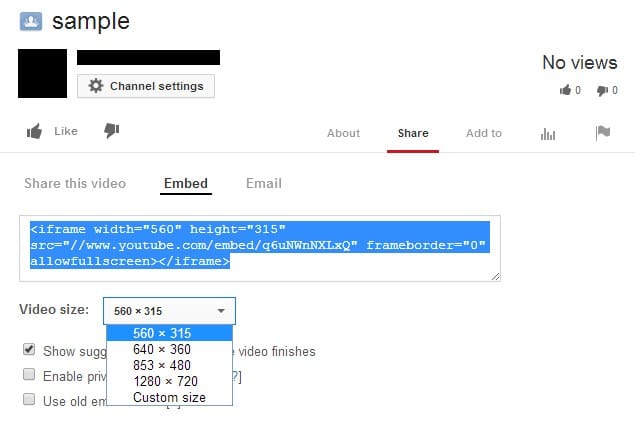
Host your video on YouTube, copy its embed code and add it to your article.

Read Video Guide

A map for your business

Find your location in Google Maps and add the map to your website.

Read Map Guide

These instructions refer to the legacy SME Builder! editor. Button names and layouts may vary by version. Preview your page after saving.

SME Builder! Guide

Embed a video in an article

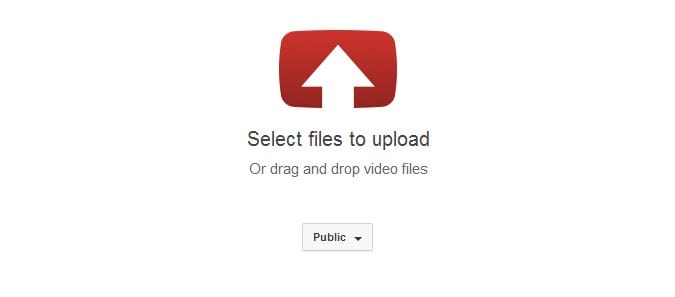
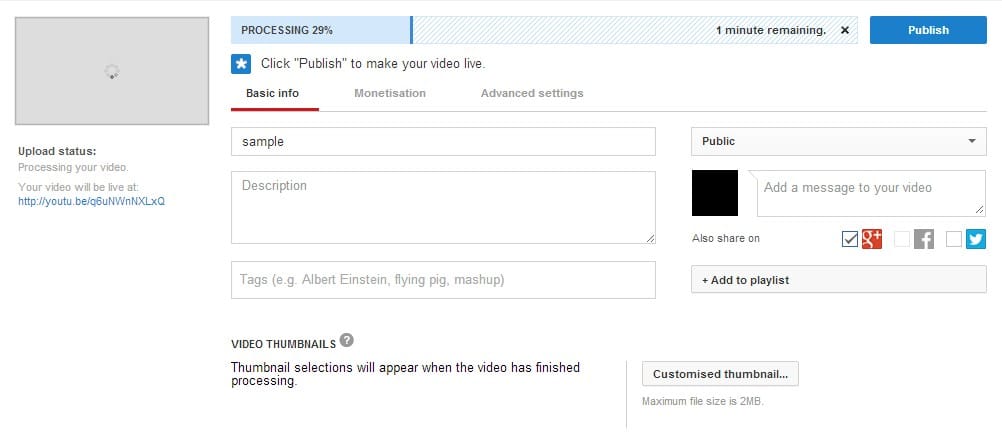
  1. Upload your video to YouTube, or open an existing video that permits embedding.
  2. On a computer, open the video page. Choose Share → Embed and copy the HTML code.
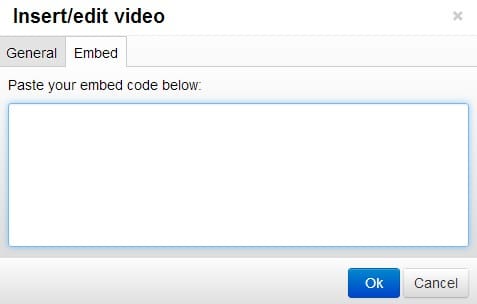
  3. In the legacy SME Builder! article editor, open the video manager and select its Embed tab. Paste the code into the provided field.
  4. Save the article and preview the published page. Check playback and make sure the video fits the content area on mobile.

Editor controls vary by version. If embedding is unavailable, contact support with the article address.

YouTube’s official embedding guide

View original screenshots · legacy interface

These images were moved from the original iCore tutorial. The current service interface may differ.

SME Builder! Guide

Add your business location with Google Maps

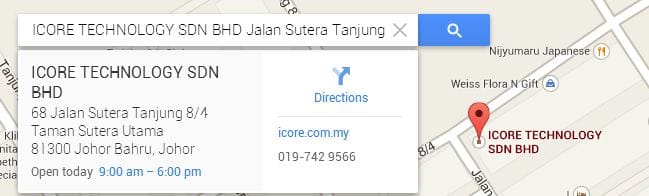
  1. Open Google Maps on a computer and search for your business or address.
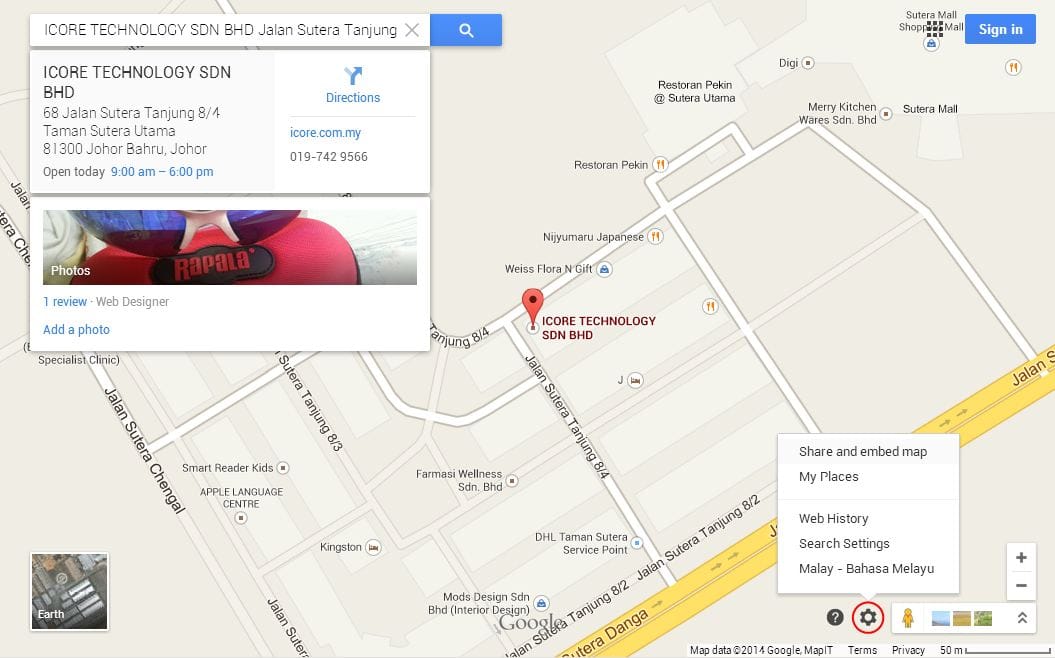
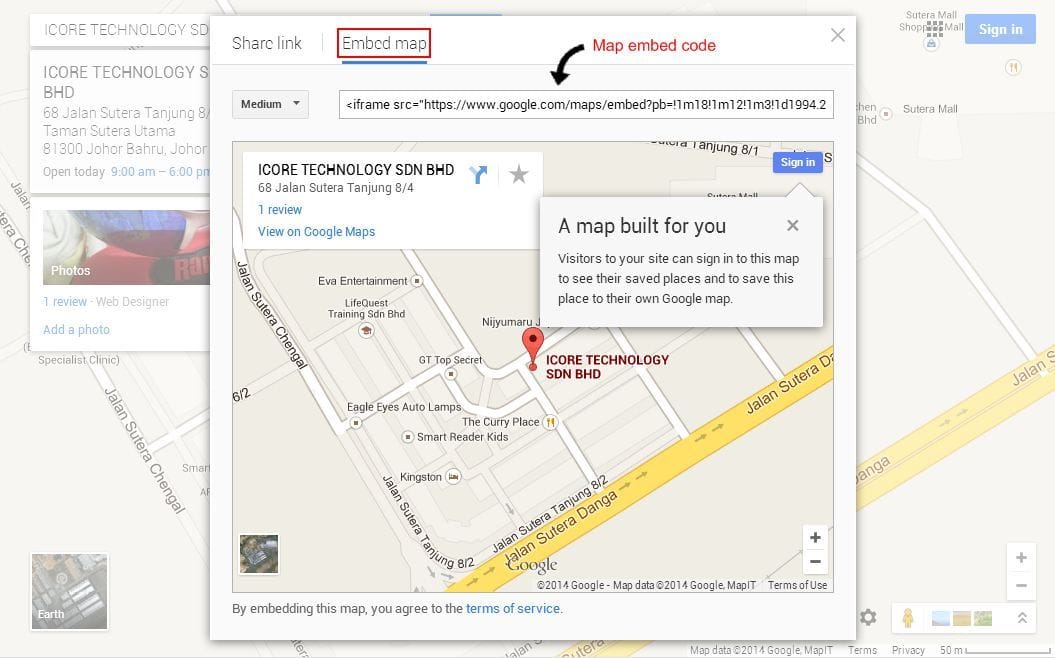
  2. Open the sharing options for the location. Choose Share or embed map, then Embed a map.
  3. Copy the HTML code provided by Google Maps.
  4. Paste it into the map embed field in SME Builder!, save your changes and preview the website.
  5. Confirm that the marker shows the correct address and the map fits the page on desktop and mobile.

The original SME Builder! template handles map sizing. Button names may differ across Maps and editor versions.

Google Maps’ official sharing and embedding guide

View original screenshots · legacy interface

These images were moved from the original iCore tutorial. The current service interface may differ.
Need a hand with your website?

Send support the article address and explain which step you need help with.